
Find answers to the most common questions about our services and features. If you can’t find what you’re looking for, feel free to contact our team – we’re here to help.
HApp is a mobile warehouse management application that connects directly to Excellent Books and Excellent Standard ERP. It lets you manage daily warehouse operations — from goods receipt and deliveries to stock movements, stocktaking, and sales orders — directly from your mobile device.
HApp is fully integrated with:
All data you see and update in HApp is synchronized in real time with your ERP.
HApp is designed for companies that use Excellent Books or Excellent Standard ERP and want to make warehouse work mobile: warehouse staff, logistics teams, and anyone responsible for goods receiving, picking, packing, internal stock transfers, stocktaking, or simple sales from the warehouse.
HApp can be used on:
Yes. HApp reads and updates data in real time. When you receive goods, move stock, or confirm a delivery in HApp, the stock levels and documents are updated immediately in Excellent Books / Excellent Standard ERP.
No. You can choose only the operations you need — for example, start with deliveries and goods receipt, and add stock movements, stocktaking, or sales orders later. Licensing and setup can be aligned with the modules you actually use.
You can manage the full delivery process from your mobile device:
Everything is synchronized with Excellent Books / Excellent Standard ERP.
Yes. When you scan or search for an item, HApp shows its exact locations and departments, so pickers can go directly to the right place in the warehouse.
Yes. During delivery processing you can:
Yes. When you confirm deliveries in HApp, all related documents and stock updates are stored in Excellent Books / Excellent Standard ERP, keeping your ERP as the system of record.
It lets you manage incoming goods directly from your mobile device:
Currently you can:
Creating completely new goods receipt documents directly in HApp is planned for an upcoming release.
Yes. When receiving goods you can indicate best‑before dates to ensure proper stock rotation, compliance and traceability.
Yes. All received quantities, changes and details are synchronized with Excellent Books / Excellent Standard ERP in real time.
It is used to move stock between:
You can send, receive and track internal transfers directly from your mobile device.
Yes. You can:
Yes. You can move stock between both physical and virtual warehouses, allowing more advanced internal logistics and workflows.
Yes. You can adjust:
All changes are synced to the ERP instantly.
You perform stocktaking directly from your mobile device:
All data is synchronized with Excellent Books / Excellent Standard ERP.
HApp supports standard stocktaking scenarios, including planning and executing counts by:
Yes. You can assign stocktaking tasks by employees or teams. Each team works on their part while you keep visibility of overall progress.
Yes. You can add comments to stocktaking entries to explain differences, record issues, or add notes for later audit and review.
You can filter by:
This makes it easy to find, review and validate entries while standing in the warehouse.
You can:
All while staying integrated with Excellent Books / Excellent Standard ERP.
Yes. HApp supports the standard workflow:
The documents follow Excellent Books / Excellent Standard ERP logic and are stored in your ERP.
Yes. When you prepare a new sales order in HApp, you can select the appropriate pricelist so that pricing is consistent with your ERP rules.
Use the search and filters in HApp:
When you find the order, you can open it, review lines, and make allowed changes directly from your device.
Yes. You can request a personalized demo from our team. We will review your warehouse processes and prepare a demo tailored to your setup.
No. HApp is designed to adapt to your processes:
Yes. Choose which modules you want to start with from these:
HApp is implemented and supported by the Burti team:
Empower your team with a fast, reliable, and easy-to-use mobile warehouse management solution.
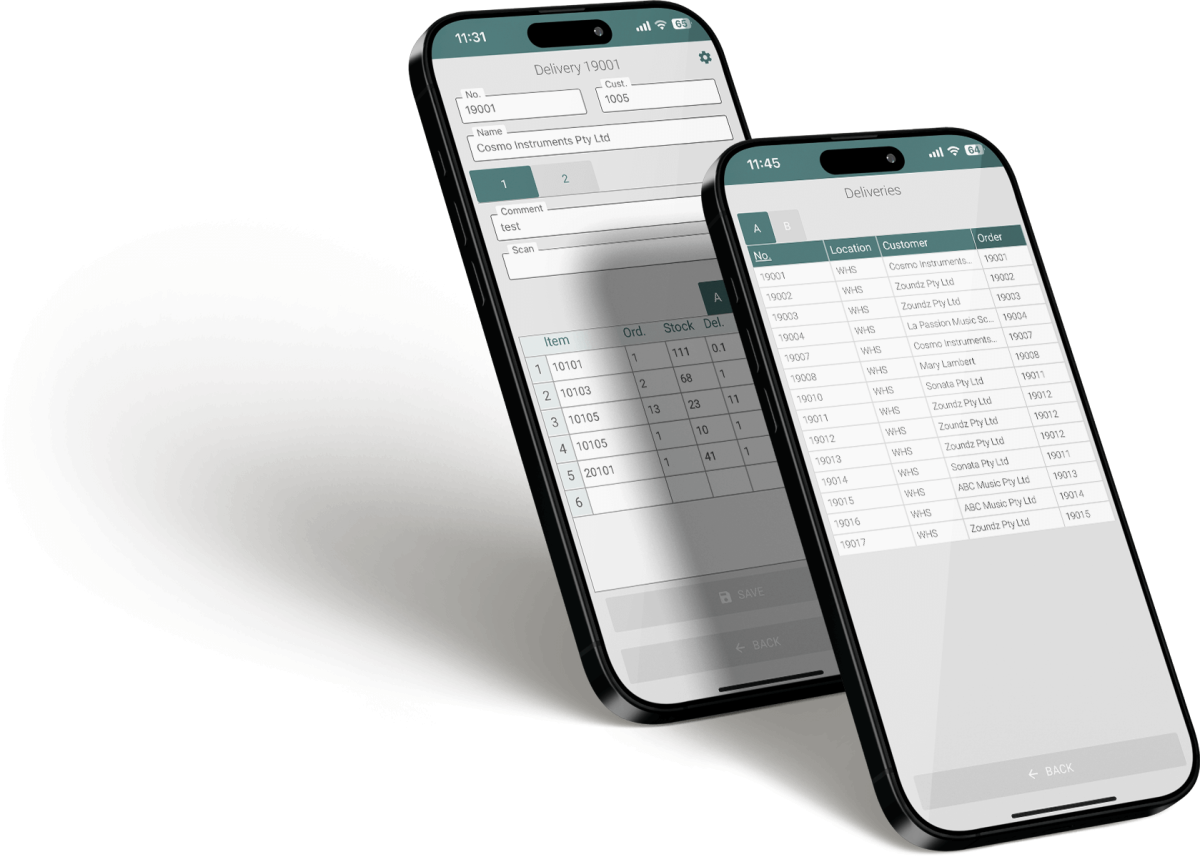
Fill in the form and we will get in touch with you shortly.
Fill in the form to request a demo, and we will get in touch with you shortly.